


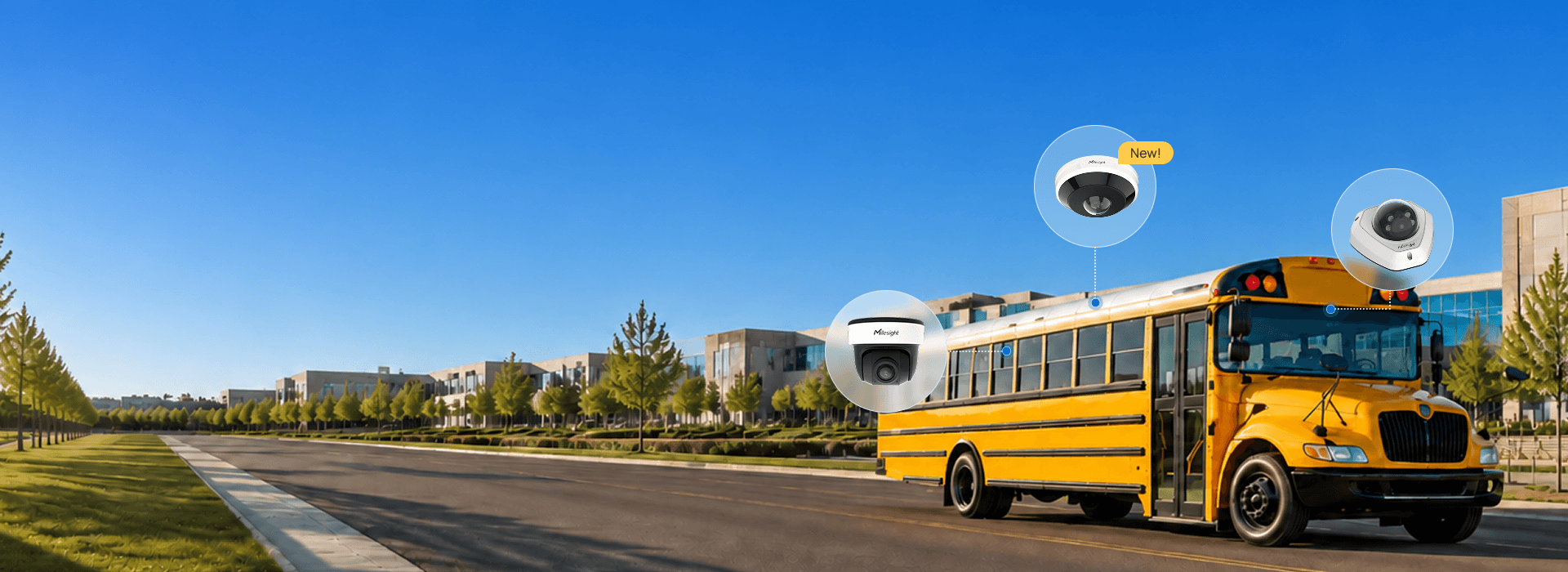
On-Board Video Security for Buses
A practical guide for Canadian security dealers and integrators designing safer, more complete video systems for transit, school transportation, shuttles and passenger fleets.
One vehicle. Multiple critical views.
Buses and passenger vehicles present a unique video surveillance challenge. A security system may need to monitor the road ahead, driver area, passenger entrances and exits, seating areas and the full length of the vehicle—all within a narrow, constantly moving environment.
For Canadian security dealers and integrators, on-board video security can provide more than recorded footage. With the right combination of panoramic cameras, fixed-view cameras, recording and AI video analytics, an on-board surveillance system can help provide broader visibility, support incident investigations and give transportation operators better information about activity throughout the vehicle.
What Is an On-Board Video Security System?
An on-board video security system is a surveillance solution designed specifically for buses, shuttles and other passenger vehicles.
- The road ahead and behind the vehicle
- The driver area
- Passenger entrances and exits
- Seats and aisles
- Passenger movement
- Other areas where video evidence may be required
The objective is not simply to install more cameras. It is to design the system so that the most important areas are visible while minimizing unnecessary blind spots and installation complexity.
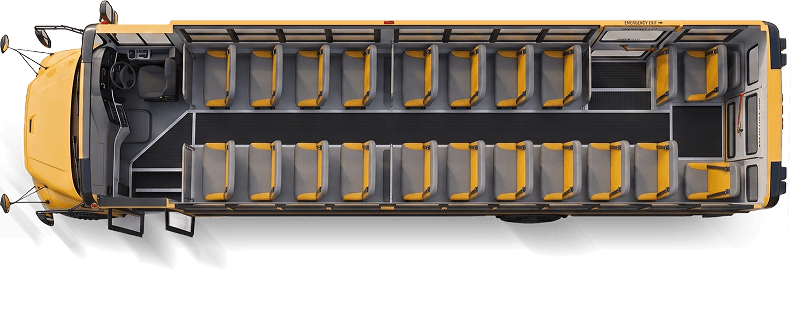
A moving environment changes the design.
Traditional commercial surveillance systems typically monitor relatively fixed environments. A bus is different.
The vehicle is constantly moving, passenger activity changes throughout the route, space for equipment is limited, and a single incident may involve several different areas of the vehicle.
For example, investigating an incident may require footage showing what happened in the passenger cabin as well as when a passenger entered or exited and what was occurring around the vehicle. This makes camera placement, field of view and system design particularly important.
What areas should bus security cameras cover?
The exact design depends on the vehicle and project requirements, but an on-board surveillance system may need visibility across several key areas.
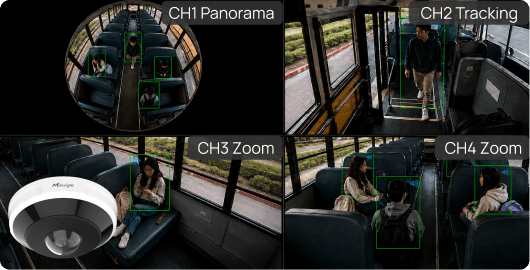
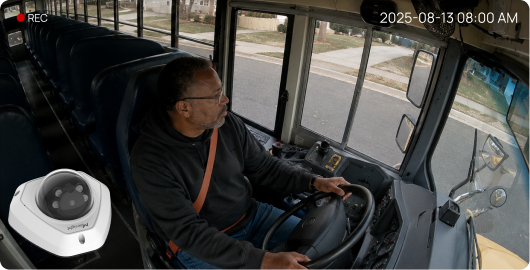
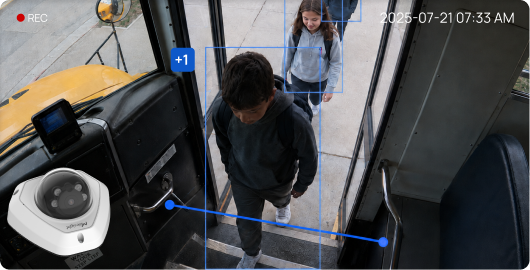
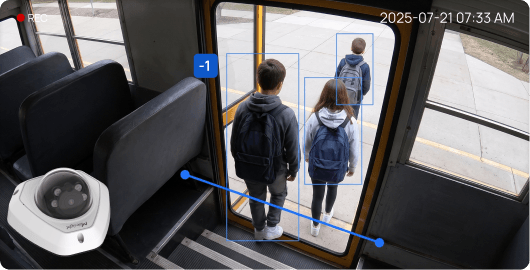
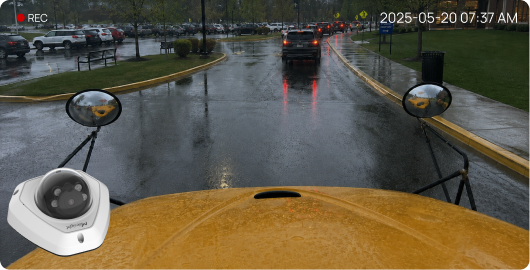
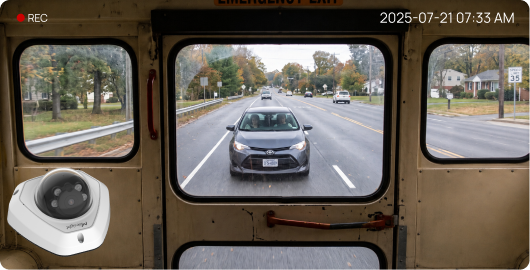
Together, these views can provide a more complete record of an event than any individual camera can provide on its own.
360° vs. 180° panoramic cameras: what’s the difference?
One of the most important design decisions is how to provide wide-area coverage inside the passenger cabin. Two approaches are 360° fisheye cameras and 180° panoramic cameras.
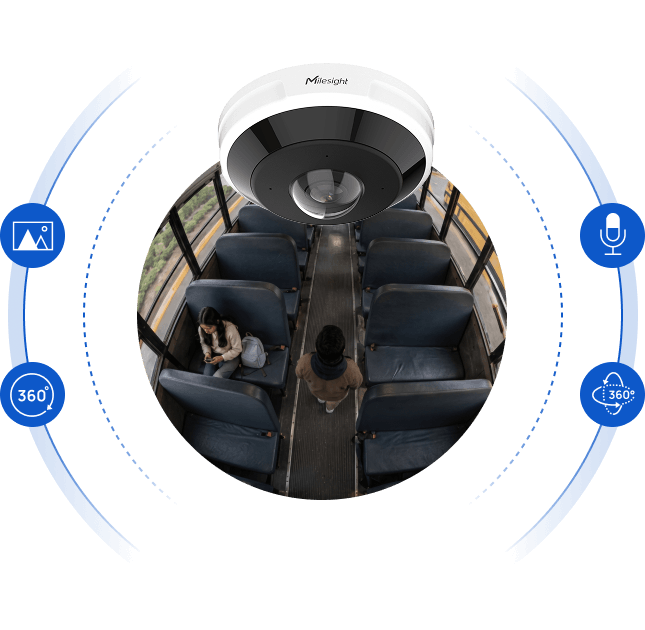
A central panoramic view around the camera.
A centrally positioned fisheye camera can provide a complete panoramic view around the camera.
Milesight's AI 360° Panoramic Fisheye Camera, for example, supports ceiling, wall and flat mounting configurations along with multiple dewarped viewing modes. Selected models are available with resolutions up to 12MP.
For an on-board application, this approach can provide broad visibility across seats, aisles and passenger areas from a central location.
- Broad cabin visibility from a central position
- Fewer cabin camera installation points
- Layouts suited to centralized panoramic coverage
- Flexible panoramic and regional views
Wide directional views for longer or segmented interiors.
Another approach is to use 180° panoramic cameras to provide wide directional coverage.
For example, cameras can be positioned toward different sections of a longer passenger cabin, providing dedicated panoramic views of the front and rear areas.
- Longer or more segmented vehicle interiors
- Separate front and rear cabin views
- More flexible camera placement
- Natural wide-angle directional views
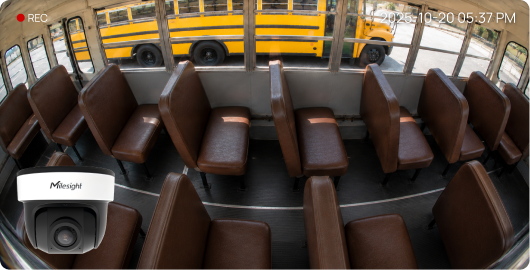
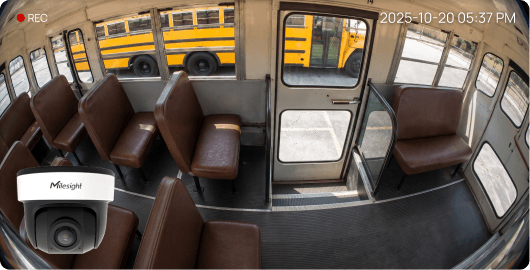
Centralized coverage is the priority.
A single panoramic viewpoint may suit compact interiors where broad cabin visibility and regional dewarped views are useful.
Directional coverage is the priority.
Separate front/rear views may suit longer vehicles or installations where camera placement needs more flexibility.
Neither approach is automatically the right choice for every vehicle. Camera selection should be based on the vehicle layout, required viewing areas, mounting locations and overall project objectives.
How can AI improve on-board video surveillance?
Modern IP cameras can provide analytics that go beyond traditional video recording. Depending on the selected camera and configuration, available capabilities can include:
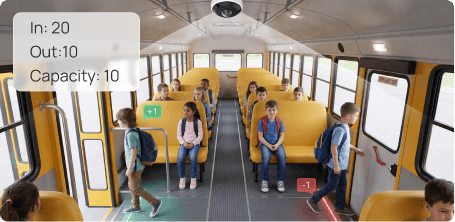
People Counting
People-counting analytics can help track passengers crossing designated entrance or exit areas, providing additional occupancy and passenger-flow information.
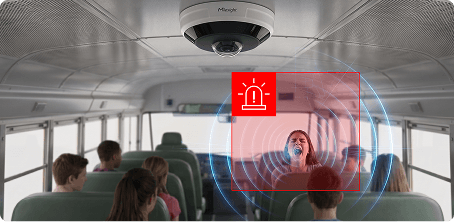
Sound Detection
Selected Milesight fisheye cameras support audio-event detection for sounds such as screams, gunshots and breaking glass, allowing configured events to trigger alerts.
ePTZ & Target Tracking
Electronic pan-tilt-zoom functionality can allow operators to examine specific areas within a panoramic image without physically moving the camera. On supported Milesight fisheye models, ePTZ functionality can also be used to follow detected targets while maintaining the wider panoramic view.
These capabilities should be selected according to the actual operational requirements of the project rather than simply enabling every available analytic.
Broader coverage without making the system unnecessarily complex.
Panoramic cameras can be particularly useful in environments where broad visibility is required but mounting locations are limited.
Wider coverage
A panoramic camera can capture a much larger area than a conventional fixed-view camera.
Fewer blind spots
Strategic placement can provide continuous visibility across large sections of the passenger cabin.
Fewer install points
In some layouts, a single panoramic camera may provide coverage that would otherwise require several conventional cameras.
Flexible investigation
Dewarping and regional viewing can make panoramic footage easier to review during an investigation.
Operational analytics
Compatible AI features can add information such as passenger counts or event-based alerts to the surveillance system.
Where can on-board video security be used?
On-board video surveillance can be considered for a variety of passenger transportation environments, including:
- Municipal transit buses
- School transportation
- Airport shuttle buses
- University and campus transportation
- Employee transportation
- Private shuttle services
- Commercial passenger fleets
- Coaches and other passenger vehicles
Every deployment has different requirements, which is why an on-board surveillance system should be designed around the vehicle and operating environment rather than treated as a one-size-fits-all camera package.
What should security integrators consider?
Before specifying cameras, integrators should establish what the transportation operator actually needs the system to accomplish.
What areas need to be recorded?
Identify the required cabin, entrance, driver and exterior views.
Where can cameras be installed?
Vehicle construction and interior layout can affect mounting positions and achievable fields of view.
How much detail is required?
Wide coverage and identification-level detail are different requirements and can influence camera quantity, resolution and positioning.
How will video be stored?
Recording duration, storage requirements and retrieval workflows should be considered during system design.
Are analytics required?
Determine whether people counting, audio-event detection or other AI capabilities provide meaningful value for the application.
Does it need to integrate?
Compatibility with the customer's current video or on-board systems should be confirmed before deployment.
Milesight on-board video security solutions for Canadian integrators.
Galaxy Security provides Canadian security dealers and integrators access to Milesight video surveillance and intelligent security solutions, including panoramic camera technologies that can be incorporated into on-board security applications.
Milesight's current on-board architecture combines panoramic and fixed-view cameras to provide coverage across the cabin, entrances, driver area and road views.
Available panoramic technologies include 360° fisheye and 180° panoramic camera options, allowing integrators to select an approach based on vehicle size, layout and project requirements.
Rather than treating on-board surveillance as a standard camera package, Galaxy Security can work with dealers and integrators to review the application and identify appropriate products for the project.

Milesight AI 180° Panoramic Mini Bullet Network Camera
5MP single-sensor 180° panoramic coverage with 120 dB Super WDR, built-in microphone, AI analytics and up to 1TB local storage.
View Product
Milesight AI 180° Panoramic Mini Dome Network Camera
5MP 180° panoramic coverage with AI VCA 2.0 analytics, object counting, heat map, built-in audio and up to 1TB local storage.
View ProductThe MNVR is the recording foundation of the mobile system.
Cameras are only one part of an on-board video security system. For vehicle deployments, integrators also need to consider how video is recorded, stored, powered and retrieved while operating in a mobile environment.
A Mobile Network Video Recorder (MNVR) provides the recording and storage foundation for the on-board surveillance system. Unlike a conventional NVR designed for a building, an MNVR is purpose-built for installation in moving vehicles.
For applicable on-board projects, Galaxy Security can help integrators build a more complete ecosystem that combines cameras with mobile recording hardware designed around vehicle requirements.
What is depot Wi-Fi offload?
Depot Wi-Fi offload allows recorded video to be transferred from the vehicle's on-board recording system over a wireless network when the vehicle returns to a depot or other designated location.
For fleet operators, this can provide a more practical way to retrieve footage from multiple vehicles without relying solely on manual access to each recorder. The exact offload workflow, network architecture and storage configuration should be planned according to the requirements of the deployment.
For security integrators, this means an on-board project should be approached as a complete video architecture—not simply a selection of camera lenses. Camera coverage, MNVR capacity, vehicle power, storage, networking and video retrieval should all be considered together when designing the system.
On-board video security FAQ
What is on-board video surveillance?
On-board video surveillance is a camera and recording system designed for buses, shuttles and other vehicles. It can provide video coverage of passenger areas, drivers, entrances, exits and exterior road views for security monitoring and incident investigation.
Are 360° cameras good for buses?
A 360° fisheye camera can be useful for bus interiors because one centrally positioned camera can provide broad visibility across seats and aisles. Whether it is appropriate depends on the vehicle layout, required image detail and mounting position.
What is the difference between a 180° and 360° security camera?
A 360° fisheye camera captures the area surrounding the camera and can produce multiple dewarped views. A 180° panoramic camera provides a wide directional view. For longer vehicle interiors, multiple 180° cameras can be positioned to provide dedicated coverage of different cabin sections.
Can bus security cameras count passengers?
Compatible AI cameras can use people-counting analytics to count individuals crossing defined areas, such as vehicle entrances and exits. Accuracy and suitability depend on camera placement, configuration and operating conditions.
Can AI security cameras detect sounds inside a bus?
Selected AI cameras can support audio-event detection. For example, compatible Milesight fisheye cameras can detect configured sounds including screams, gunshots and breaking glass and use those events to trigger alerts.
How many security cameras does a bus need?
There is no universal number. Camera quantity depends on vehicle size, layout, required fields of view, desired image detail, exterior coverage and project objectives. A site and vehicle assessment should be completed before determining the final camera configuration.
What is an MNVR?
A Mobile Network Video Recorder is a vehicle-oriented recorder used to store and manage on-board surveillance video. For applicable deployments, integrators should consider power requirements, vibration resistance, storage capacity, networking and footage-retrieval workflows as part of the overall system design.
What is depot Wi-Fi offload?
Depot Wi-Fi offload is a workflow that allows recorded video to be transferred over a designated wireless network after a vehicle returns to a depot or other configured facility, reducing the need to retrieve footage manually from each vehicle.
Visual references in this article are used to illustrate Milesight on-board video surveillance concepts. Original solution reference: Milesight On-board Video Security Solution.
Planning an on-board video security project?
If you're a Canadian security dealer or integrator working on a transit, school transportation, shuttle or passenger-vehicle project, Galaxy Security can help you evaluate the application and identify an appropriate Milesight solution.